
Clubhouse Casino App for Android and iOS
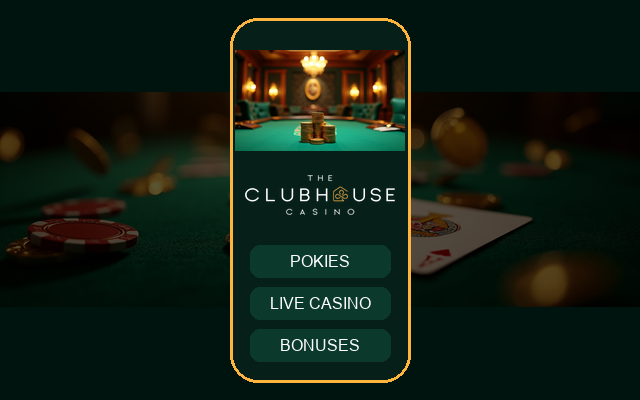



The Clubhouse Casino app puts our whole lobby on your phone: more than 8,000 games, the cashier, live chat and your bonuses in one tap. We do not publish in the Apple App Store or Google Play, so the app reaches you in two ways. Android players download an APK file directly from our website, and iPhone and iPad users add Clubhouse to the home screen as a web app that behaves like a native one.
Both options use the same account and AUD balance as the desktop site, so you can start a session on your laptop and finish it on the train. This page explains what is inside, how to install it safely, how banking works on the go and what to do if something does not load as expected.
What You Get Inside the App
The app mirrors the desktop experience, with menus rearranged for thumbs rather than a mouse.
- Full access to 7,000+ pokies and 300+ live dealer tables
- Cashier with PayID, cards, vouchers, e-wallets and crypto
- One-tap deposit and withdrawal history
- Bonus tracker showing wagering progress and the 14-day timer
- Loyalty status across the 7 tiers from Bronze to Diamond
- Live chat available 24/7 from every screen
- Responsible gambling tools, including deposit limits and time-outs
Install on Android
Because the APK comes from our website and not from Google Play, your phone will ask you to allow the installation. Only download it from our own domain and never from a link sent by someone else.
- Open our website in your Android browser and go to the app section.
- Tap the download button for the APK file.
- When the browser warns about installing apps from unknown sources, open Settings and allow your browser to install apps.
- Open the downloaded file and tap Install.
- Launch the Clubhouse icon and sign in.
You can switch the unknown sources permission off again once installation is finished.
Add to the Home Screen on iPhone and iPad
Apple does not allow us to offer an installer outside the App Store, so we provide a web app instead. It opens full screen without browser bars, and it updates itself every time you open it.
- Open our site in Safari on your iPhone or iPad.
- Tap the Share button at the bottom of the screen.
- Choose Add to Home Screen.
- Confirm the name and tap Add.
- Open the new Clubhouse icon and log in.
Signing In From Your Phone
Use the same email and password as on desktop. New players can register inside the app in under two minutes. For a refresher on the process, see our Clubhouse Casino login guide.
- Enable fingerprint or face unlock if your phone offers it
- Do not store your password in a shared browser profile
- Log out when you lend your phone to anyone
Playing Pokies and Live Games on Mobile
Our studios build titles in HTML5, so pokies from Pragmatic Play, Play'n GO, Hacksaw Gaming, Nolimit City and others run smoothly on modern phones in portrait or landscape. Live tables from Evolution, Pragmatic Play Live and Ezugi stream in adaptive quality, which helps when your signal drops. You can search by name or provider, save favourites and jump back to recently played games from the home tab. Browse the Clubhouse Casino pokies catalogue for ideas.
Banking on the Go
Deposits and withdrawals work exactly as on desktop, with no extra fees from us.
| Action | Methods | Notes |
|---|---|---|
| Deposit | Visa, Mastercard, PayID, bank transfer, Neosurf, CashtoCode, e-wallets, crypto | From A$20, instant credit |
| Withdraw to e-wallet or crypto | MiFinity, Skrill, Neteller, Jeton, BTC, ETH, LTC, USDT | A$30 minimum, 0-24 hours |
| Withdraw to card | Visa, Mastercard | 1-3 business days |
| Withdraw to bank | Bank transfer | 3-5 business days |
Verification must be finished before your first withdrawal. Learn more about Clubhouse Casino withdrawal rules.

Bonuses in the App
Every promotion on the desktop site is available on mobile. Opt in from the promotions tab or at the deposit screen.
| Offer | Details |
|---|---|
| Welcome package | Up to A$5,000 + 200 FS over 3 deposits, minimum A$30 |
| Weekend Reload | 50% up to A$500 + 50 FS |
| Monday Free Spins | 50 FS with a A$50 deposit |
| Weekly cashback | 10% up to A$1,000 |
Wagering is 40x, maximum bet is A$7.50 with a bonus active, and offers last 14 days. Push notifications are optional, and you can turn them off at any time.
Security and Privacy
All traffic between your phone and our servers is encrypted. The app does not ask for access to your contacts or messages, and we only request permissions needed for notifications and file uploads during verification.
- Update the app and your phone software regularly
- Install only the file offered on our official domain
- Set a screen lock on your phone
- Report lost or stolen devices to support immediately
Support From Your Phone
Tap the chat icon in any screen to reach our team, 24/7, in English. You can send screenshots of errors, upload verification photos straight from your camera and reach our email at support@clubhousecasino.com. If a page fails to load, clear the browser cache or reinstall the shortcut, and tell us your phone model so we can reproduce the problem.
Conclusion
The Clubhouse Casino app gives Australians the full casino on a phone without waiting for an app store: an APK for Android, a home screen web app for iPhone, and the same secure account and AUD banking everywhere. Install from our official site only, set your limits, and enjoy mobile play responsibly.
FAQ
Is there a Clubhouse Casino app?
Yes. Android players can download our APK from the official website, while iPhone and iPad users add the site to the home screen as a web app. We do not have a listing in the Apple App Store or Google Play.
Is the Android APK safe?
It is safe when downloaded directly from our own domain. Your phone will warn about unknown sources, which is normal for any APK. Never install a Clubhouse file offered through messages, social media or third-party sites.
How do I install the app on iPhone?
Open our website in Safari, tap the Share button, select Add to Home Screen and confirm. The Clubhouse icon then opens full screen and always loads the latest version, so no manual updates are needed.
Can I deposit and withdraw in the app?
Yes. The cashier includes PayID, cards, bank transfer, vouchers, e-wallets and crypto. Deposits start at A$20, withdrawals at A$30, and you must complete identity verification before your first withdrawal is approved.
Does the app cost anything?
No. The APK and the home screen web app are free, and we charge no deposit or withdrawal fees. Your mobile provider may bill for data, so use Wi-Fi for the download, which is about 48MB.
Do I get app-only bonuses?
Promotions are the same on every device, including the welcome package of up to A$5,000 + 200 free spins. Seasonal free spin drops reach verified accounts by email or SMS, so keep your contact details current to see them.
What if the app will not open?
Restart your phone, clear the cache, check your internet connection and update your browser or system software. If the problem continues, contact live chat with your phone model and a screenshot, and we will help.
Content updated: September 28, 2026